Switchboard: The Check IDE

Sam Wilson
7
min read
It’s amazing how much work goes into shipping even a small feature. A customer asks for something, their account manager passes it to the product team, and eventually it lands with an engineer. After a few rounds of documentation, handoffs, and waiting, we build and ship it. Then we assume it works and hope someone remembers to tell the user and confirm it actually solved their problem.
Our team is made up of AI optimists, and we knew there had to be a better way.
We had already folded AI into most steps of the development process. We were shipping three times as often as we had a year earlier, with roughly the same team. But, while every step had become faster, the process felt more wasteful than ever before. Our team was spending their time copying and pasting input around to different AI agents, and cleaning up AI output that had lost context somewhere along the way.
We were inspired by a quote from Replit: “People don’t feel like they’ve been automated. They feel like they’ve been promoted.” (The Self-Driving Company). Our initial AI approach didn’t feel like a promotion, and we realized why:
AI had changed the way that Checketeers do their work, but it hadn’t changed the way that Check works.
Our solution was Switchboard
Switchboard is at its heart a dynamic orchestration layer for knowledge work, built around four principles:
- Context-aware. Every interaction starts from accumulated organizational knowledge, including project documents, customer feedback, architecture decisions, and previous work. No more starting from scratch with every prompt.
- Connected. AI picks up work where it already happens, like Slack, GitHub, and Notion. It doesn’t wait for someone to copy context into another tool and tell it to continue.
- Continuously evolving. Every code review, launch monitor, and piece of customer feedback can improve the way work happens the next time.
- Composable. Skills and agents snap together into custom nested workflows. We don’t need to build a new system or rigid pipeline for every kind of work.
We define how work should be managed in a Markdown skill file. The skill describes what the goal is, what other skills it can start, and when and where people should interact with it. A coordinator agent runs the skill with the appropriate gates and loops until the goal is accomplished.
First, a software factory
We started with work our engineering team knew well: building software.
Our first skill, Builder Bot, explained how to plan the work, build the change, address review comments, and monitor post-deploy metrics. But an engineer still had to come back after every step to tell it what to do next.
This prototype was cool, but we’d taken people with real expertise and turned them into basic orchestrators. This was the core problem we were trying to solve!
The obvious next question was whether events could replace those manual steps and shift human time to the highest-leverage moments.
Choosing what to build
Our early assumption was to buy rather than build, so we could move faster.
We already ran a lot of our AI work through Cursor, so we wired up Cursor Automations for the events we knew about: a comment on a PR, a merge, and so on.
Our goal with Switchboard was bigger than just writing code though; we wanted everyone at Check to be able to create a new skill for managing work with minimal setup. Adding a new Cursor Automation for each transition wouldn’t achieve that.
We explored our options, and plenty of products handled a piece of what we wanted. The missing piece was a hub to connect the work as it flowed across systems like Slack, Notion, and GitHub, and decide which event should wake it next. We decided we needed to build that ourselves.
Our first attempt looked a lot like traditional workflow software. We described work as graphs with named stages and transitions.
That was okay until the real work stopped following the map. One run needed two PRs. Another needed to stop and ask a person a question and then go back to the planning phase. A larger project needed to start several child workflows in parallel. Each variation required more branches. Every exception pushed more business process logic into the router.
So we backed up and rebuilt Switchboard as something much simpler, and ultimately more elegant.
The system has three layers:
- Switchboard itself keeps track of in-progress work, receives events about that work across all of our systems, and wakes the right coordinator.
- The coordinator makes decisions about the work based on plain English in a Markdown skill file. It decides what needs to happen next, where people should be involved, and what events to wait for.
- Workers execute bounded parts of that work in environments with the right code and tools.
Coordinators can start other skills and workflows, giving us flexibility without hard-coding every possible path.
Putting Switchboard to work
We started with routine work that could be fully automated, like removing a retired feature flag. This took low-leverage work off our plates, but didn’t help with our hardest problems.
We moved into work spanning several PRs. Switchboard could hold the product definition and technical design plan, wait for each merge, and kick off the next phase without someone needing to manage each step.
The first magical experience came when our early prototype identified a bug after release and immediately used Builder Bot to ship a fix.
And then we started connecting that workflow directly to the places where our users give us feedback.
Recently, a customer reported a display bug directly in Console, Check’s partner dashboard, using a new bug report feature we’d built. The report kicked off a Switchboard workflow that scoped the issue, wrote a technical design, built the fix, and cross-reviewed the PR with multiple separate agents.
Just over two hours later, the fix was live in production. The only human involvement was a single click on “Merge.” For small bugs like this one, soon even that click won’t be needed.
Now, a knowledge work factory
We hosted a company-wide hackathon to expand Switchboard beyond a software factory.
One team set up a skill that monitors for new tax rules and implements them in our system. Another team made a workflow that continually improves our support help center from conversations in Slack.
The best part was watching people who hadn’t built Switchboard come up with their own ways to use it. A new workflow didn’t need a new application or a bunch of custom infrastructure. They could describe what they wanted to accomplish by chatting with Switchboard in Slack and letting it take care of the workflow creation (which is simply a Markdown file).
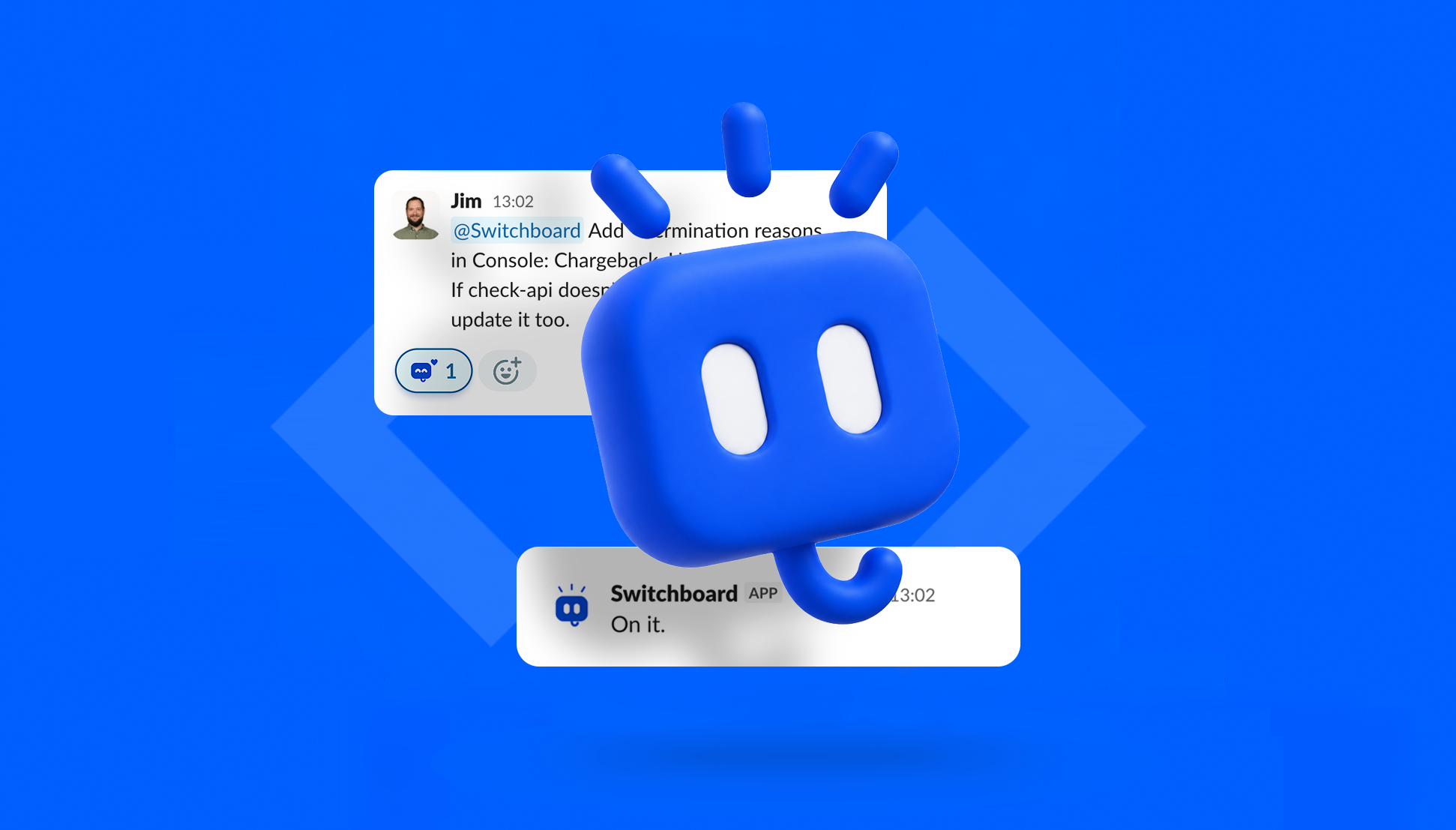
Today, we’re continuing to add new skills and refine exactly how Switchboard works. We even made a nifty little mascot, which is the true sign that you’re working on something great.
The Check IDE
Along the way, the Check IDE idea was born.
A coding IDE is your home for defining, building, and running code. We wanted Switchboard to be the home for defining, building, and running all of Check’s work (including now using Switchboard to build more capabilities in Switchboard).
We built our own UI for collaboratively drafting product requirements and pulling supporting data. Here a product owner and engineer could write out what needed to happen, iterate with each other and a specially designed agent, and then ultimately approve it for build.
The same system could carry a small fix or a project from initial definition through several parallel releases. The definition doc becomes the top-level workflow. Each approved release starts its own build workflow, and those workflows can run in parallel.
This UI shows you progress on the build across releases, whether implemented locally by an engineer or automatically by Builder Bot. Low-risk changes can deploy automatically, and more complex changes are easier to review with interactive code change walkthroughs and preview environments.
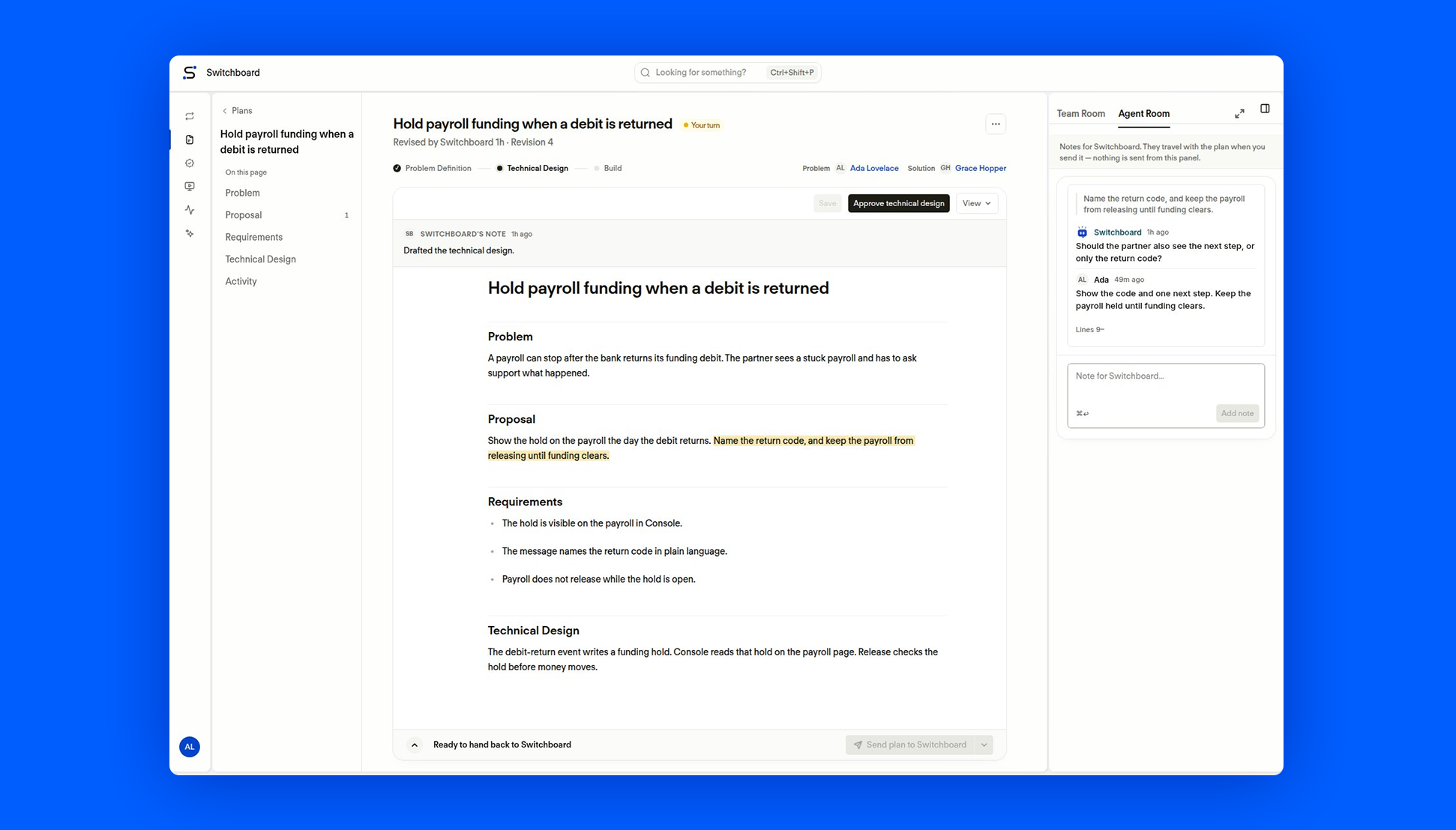
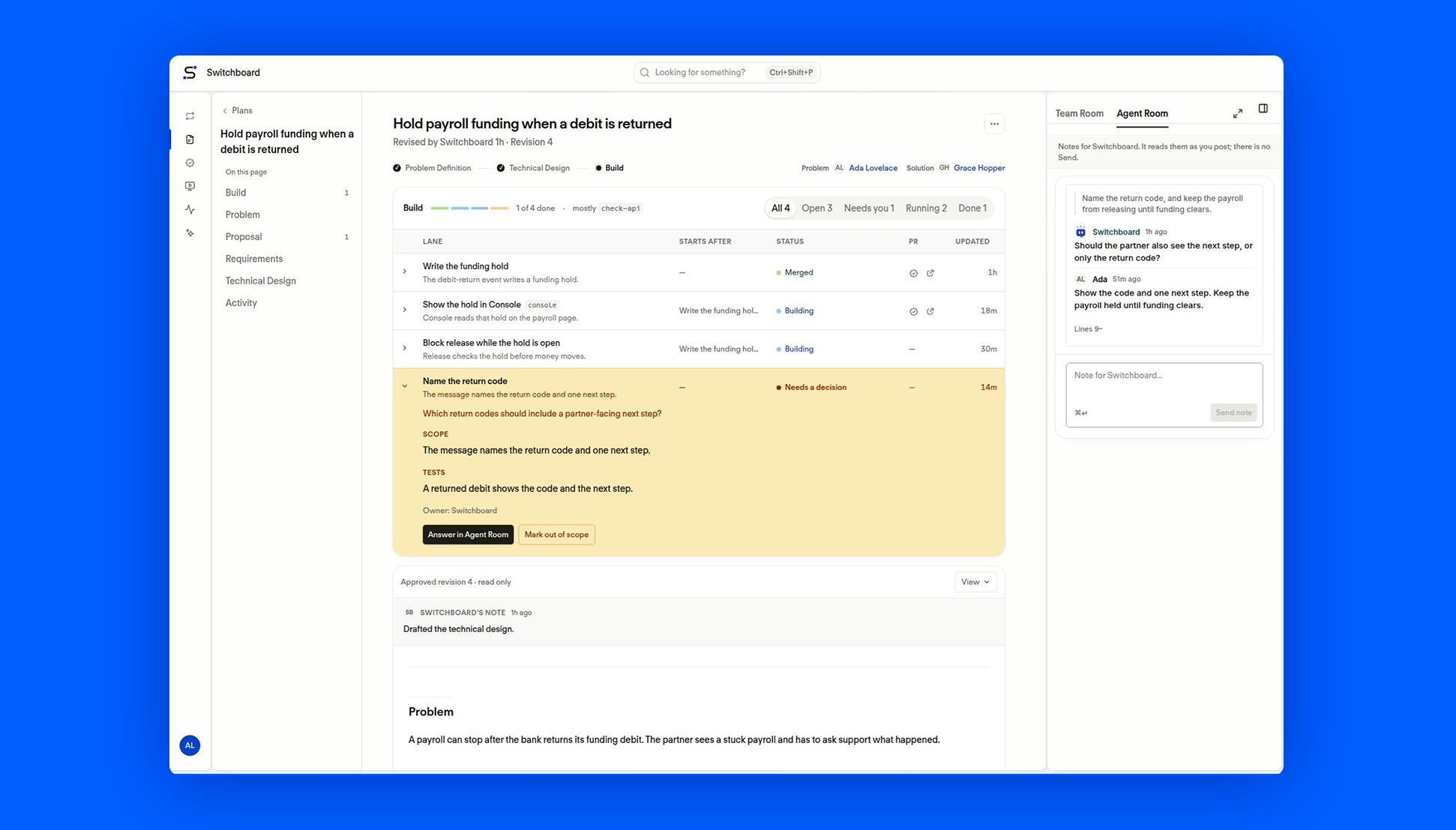
We can start collaboration in Switchboard from Slack, another AI tool using our Switchboard MCP server, or even from customer-facing UIs.
Making room for the work that matters
Building Switchboard has helped us rethink what work at Check looks like.
As an engineer, I want to solve big problems and craft amazing solutions. I don’t want to watch an agent head in the wrong direction and then review the massive, sloppy PR it leaves behind.
The same is true across Check. Our product managers should have more time to understand what our customers need and figure out what to build. Our operations teams should be able to solve problems they know well without waiting for an engineer to pick up the work.
Ultimately, we think the Check IDE can change how Check works for the better. Agents can carry the routine work and coordination, freeing people to spend more of their time where their expertise and judgment make the biggest difference.
That’s the kind of promotion we’re excited about.
Want to join a team like this? We’re hiring. See open roles at Check.
About the author
Sam Wilson
Principal Software Engineer


Become more for your customers.
Find out how payroll can benefit your customers and your business.